So this is a post I have been meaning to write for sometime. I have been disturbed and worried about the behaviour of educational app developers over the past 12 months. Not just the small developers, but the big ones, including Apple. As a small developer and Primary school teacher I think I can speak from experience and with some objectivity.
Developers seem to follow a structure these days in the education/entertainment markets with App development. Bring in an amazing FREE App, develop a huge fan base (downloads), and then sneak in In-App purchases over a period of time. Do I have a problem with this? Yes, especially when the App targets students in schools under the age of 13! Especially when the App has been initially targeted for the education market and young students! Yes, especially when young students don't have apple ID's, credit cards or the experience/decision making ability to say yes or no with a calm, reflective mind.
Just because you can do it developers - doesn't make it right!
So when did this all start. For me it was with Apple! As a huge advocate for Apple products and being an Apple Distinguished Educator this may not be a wise move for me personally, but it needs to be said. Garage Band is used through schools worldwide for FREE. An amazing, creative, inspiring App that has been used to create compositions of the highest quality. Not long ago they offered the base instruments for FREE but with In-App purchases for other instruments. This made educators across the world furious. The reason I am disappointed with Apple's decision to offer Garage Band with In-App purchases is because of their commitment to the education sector. It has been significant and I have seen this first hand, in regard to the support and the growing network they have built for teachers and school organisations. They are the leaders, the role models for smaller developers like myself. They should know better.
Next came Tellagami, and then the amazing Hopscotch. The trend continues. After world wide outcry some of these developers are offering EDU versions of their App for a price. Great, thank you. In education we can work with this, and budget for it! But we will not stand for money grabbing tactics that target the most vulnerable, the most enthusiastic - our young students.
It is time developers started to reach out to educators, parents, the guardians and build a model that is ethically and financially sustainable of both developers, young people and care givers. I know that I am here to offer suggestions to developers - just reach out. But I will not be silent in the worrying trend that is developing.
We ask our students to be great digital citizens. I ask that our adults do the same.
Paul
Showing posts with label iPads. Show all posts
Showing posts with label iPads. Show all posts
Saturday, 12 July 2014

Saturday, 14 December 2013
The reflective student
As a teacher what do you notice when you hand a test back? Do students look straight for the Grade (letter) or do they look through mistakes, reflecting on what went wrong and what they need to do better next time?
I think you would all agree we would prefer students to do the latter, but experience tells us they do the first option.
So how do we get students reflecting on learning experiences? With mobile technology there has never been a better time to foster a culture of analysis and reflection.
Here are 2 quick tutorials using the Book Creator App and the Explain Everything App for iPad to encourage more reflective students in your class.
Reflective student - Explain Everything tutorial:
Reflective student - Book Creator tutorial:
About Paul:
2013 Finalist - International EdTech Digest Awards Recognition Program honoring tools, trendsetters and leaders in the education and technology sector. The distinguished awards program recognizes outstanding solutions―and the best and brightest minds―in education and technology.
2013 Nominee - EduBlogs Life Time achievement award.
Apple Distinguished Educator Class of 2013. Paul is a leader in the implementation of Augmented Reality in schools to improve learning outcomes, Professional Development of staff with integration of ICTs, and has expertise in the implementation of mobile devices into pedagogical frameworks.
Creator
The Tellagami Project (Presentation)
Teaching students to code on the iPad (iBook)
Augmented Reality in Education (iBook)
10 Amazing lessons for the iPad Classroom (iBook)
Formative Feedback for Learning and Science AR (Apps)
"Paul, you are a real Leader" - Dr Heidi Hayes Jacobs, author and internationally recognized education leader known for her work in curriculum mapping, curriculum integration and developing 21st century approaches to teaching and learning.
"Paul we designed iBooks Author to be a tool that teachers could use to create content that they develop for the classroom and can share with the world. It is great Paul that you have been using it that way to great success." - Philip Schiller - Apple’s Senior Vice President of Worldwide Marketing.
PUBLIC SPEAKING EXPERIENCE
Guest Speaker - Best Apps for Kids - State Library Queensland 2013
National Leading a Digital School Conference - 2013 (Melbourne)
Augmented Reality in Education
21st Century Skills v Technology
IWB Interactive Teaching and Learning Conference - Sydney 2012
The benefits of teaching game design and strategy.
Technology and Formative Assessment strategies.
2013 Nominee - EduBlogs Life Time achievement award.
Apple Distinguished Educator Class of 2013. Paul is a leader in the implementation of Augmented Reality in schools to improve learning outcomes, Professional Development of staff with integration of ICTs, and has expertise in the implementation of mobile devices into pedagogical frameworks.
Creator
The Tellagami Project (Presentation)
Teaching students to code on the iPad (iBook)
Augmented Reality in Education (iBook)
10 Amazing lessons for the iPad Classroom (iBook)
Formative Feedback for Learning and Science AR (Apps)
"Paul, you are a real Leader" - Dr Heidi Hayes Jacobs, author and internationally recognized education leader known for her work in curriculum mapping, curriculum integration and developing 21st century approaches to teaching and learning.
"Paul we designed iBooks Author to be a tool that teachers could use to create content that they develop for the classroom and can share with the world. It is great Paul that you have been using it that way to great success." - Philip Schiller - Apple’s Senior Vice President of Worldwide Marketing.
PUBLIC SPEAKING EXPERIENCE
Guest Speaker - Best Apps for Kids - State Library Queensland 2013
National Leading a Digital School Conference - 2013 (Melbourne)
Augmented Reality in Education
21st Century Skills v Technology
IWB Interactive Teaching and Learning Conference - Sydney 2012
The benefits of teaching game design and strategy.
Technology and Formative Assessment strategies.
Friday, 29 November 2013
3 iPad/iPod Christmas activities for kids
How do we want students using iPads during the Christmas holidays?
How about creating, collaborating and communicating with Project based activities that will both engage, foster and develop 21st century skills whilst having an awesome time!
1. Create on comic/iBook on their favourite holiday moments
Incorporating the camera and Apps like Comic Life and Book Creator, our kids become authors at the same time. It also encourages kids to work together and involve the whole family.
Tutorials Here:
http://www.youtube.com/watch?v=znrlTHDzr6s
http://www.youtube.com/watch?v=ic5a2-qavFA
2. Time Lapse Photography iMovie
My girls are currently doing this as I write this Blog. The set up their iPod and use the App iMotion HD to take photos at 20 second intervals of the kids putting up the Christmas tree. They then drop into iMovie and add text and music to create an amazing time Lapse movie. Very cool.
Tutorials Here:
http://www.youtube.com/watch?v=eNU6JYW0tI0
http://www.youtube.com/watch?v=SGnIMp43fdU
3. Create a digital Video Game
Using iPad Apps like Hopscotch and GamePress students can immerse themselves into the world of video games. But there is a difference! The kids can create their own, test, evaluate, work together and learn how to code at the same time. A really worthwhile activity!
Tutorials Here:
http://www.youtube.com/watch?v=_8-y0nIhmbY
http://www.youtube.com/watch?v=9SuFr_MUPUU
How about creating, collaborating and communicating with Project based activities that will both engage, foster and develop 21st century skills whilst having an awesome time!
1. Create on comic/iBook on their favourite holiday moments
Incorporating the camera and Apps like Comic Life and Book Creator, our kids become authors at the same time. It also encourages kids to work together and involve the whole family.
Tutorials Here:
http://www.youtube.com/watch?v=znrlTHDzr6s
http://www.youtube.com/watch?v=ic5a2-qavFA
2. Time Lapse Photography iMovie
My girls are currently doing this as I write this Blog. The set up their iPod and use the App iMotion HD to take photos at 20 second intervals of the kids putting up the Christmas tree. They then drop into iMovie and add text and music to create an amazing time Lapse movie. Very cool.
Tutorials Here:
http://www.youtube.com/watch?v=eNU6JYW0tI0
http://www.youtube.com/watch?v=SGnIMp43fdU
3. Create a digital Video Game
Using iPad Apps like Hopscotch and GamePress students can immerse themselves into the world of video games. But there is a difference! The kids can create their own, test, evaluate, work together and learn how to code at the same time. A really worthwhile activity!
Tutorials Here:
http://www.youtube.com/watch?v=_8-y0nIhmbY
http://www.youtube.com/watch?v=9SuFr_MUPUU
Tuesday, 19 November 2013
5 activities all students should use iPads for
1. Learning journals
Still one of the most powerful activities I have ever given my students. Challenging and confronting at times but so effective. When do children have the time to sit down and reflect on what they have learnt and what they have struggled with? Do you really think tests do this. Take a look at Learning Journals.
http://www.youtube.com/watch?v=Y3QfgF1HahI
2. Learning to Code
Watching a kid code is like watching them think! There has never been a better time to teach kids to code on mobile devices. Hopscotch and GamePress two of my favourites.
http://www.youtube.com/watch?v=KU1WOuvMh4I
https://itunes.apple.com/au/book/teaching-students-to-code/id729919770?mt=11&ls=1
3. Reading Response activities
Too much pen and paper! Doesn't fully show what students know or what they are thinking. Allow students to respond to text with pictures, video and audio.
http://www.youtube.com/watch?v=OIYrN5OMT2I
http://www.youtube.com/watch?v=y-ujNMUedD4
4. Creating Multi-Media presentations
The iPad is not a computer, so stop using it like one. Utilise the plethora of effective Apps like Explain Everything so that students can create presentations that are effective and engaging for the audience. Not only that but multi-modal presentations often show a deep level of understanding.
http://www.youtube.com/watch?v=4mB-hiFqfAw
http://www.youtube.com/watch?v=NaPYls4TUmo
5. Collaborating with other students
Being mobile and having access to collaboration tools such as Google Docs presents a range of new opportunities for students to collaborate with each other. Imagine taking video during a Science field trip and collaborating with a scientist on the other side of the world?
Still one of the most powerful activities I have ever given my students. Challenging and confronting at times but so effective. When do children have the time to sit down and reflect on what they have learnt and what they have struggled with? Do you really think tests do this. Take a look at Learning Journals.
http://www.youtube.com/watch?v=Y3QfgF1HahI
2. Learning to Code
Watching a kid code is like watching them think! There has never been a better time to teach kids to code on mobile devices. Hopscotch and GamePress two of my favourites.
http://www.youtube.com/watch?v=KU1WOuvMh4I
https://itunes.apple.com/au/book/teaching-students-to-code/id729919770?mt=11&ls=1
3. Reading Response activities
Too much pen and paper! Doesn't fully show what students know or what they are thinking. Allow students to respond to text with pictures, video and audio.
http://www.youtube.com/watch?v=OIYrN5OMT2I
http://www.youtube.com/watch?v=y-ujNMUedD4
4. Creating Multi-Media presentations
The iPad is not a computer, so stop using it like one. Utilise the plethora of effective Apps like Explain Everything so that students can create presentations that are effective and engaging for the audience. Not only that but multi-modal presentations often show a deep level of understanding.
http://www.youtube.com/watch?v=4mB-hiFqfAw
http://www.youtube.com/watch?v=NaPYls4TUmo
5. Collaborating with other students
Being mobile and having access to collaboration tools such as Google Docs presents a range of new opportunities for students to collaborate with each other. Imagine taking video during a Science field trip and collaborating with a scientist on the other side of the world?
Friday, 8 November 2013
Hour of Code just the beginning
With the momentum building in the lead up to Computer Science Week in the States and Hour of Code, I can't help thinking this is just the beginning. What makes me think this? For the past 12 months I have been teaching my students to Code and I have seen the benefits first hand. Rich, deep level thinking, the collaboration, and the ability to see Code come alive are just some of the reasons all students should learn to code in schools.
On the 9th December (and the lead up week) there is a massive push to get kids coding. I think the success of this week and what follows is dependent on an element we have not placed a higher enough priority on - the teachers. See without passionate teachers who believe in coding we will not produce passionate students. The teacher is not the only ingredient, but certainly an important one.
Paul is the Author of the upcoming iBook "Teaching students to code on the iPad".

On the 9th December (and the lead up week) there is a massive push to get kids coding. I think the success of this week and what follows is dependent on an element we have not placed a higher enough priority on - the teachers. See without passionate teachers who believe in coding we will not produce passionate students. The teacher is not the only ingredient, but certainly an important one.
Paul is the Author of the upcoming iBook "Teaching students to code on the iPad".
Sunday, 27 October 2013
3 awesome iPad Apps to get kids coding
The language of Code is a universal language. We use technology almost every minute of everyday and yet we remain ignorant of how technology actually works. What drives this technology? Code!
With iPads being so popular in schools across the globe what are some iPad Apps that will get kids coding around the world.
1.Daisy the Dinosaur

2.Hopscotch
Hopscotch works by dragging and dropping blocks of code. Build little routines and press play to see your code in action! As you get more advanced, you can add more objects and run your code using events like shaking and tilting the iPad or even shouting at the iPad! We were heavily inspired by MIT's Scratch.
Many of the best coders fell in love with programming as kids at the age of 8, 10 and 12 years old. With Hopscotch, kids can build and perfect their own creations while obtaining an understanding of the fundamentals of computer science.
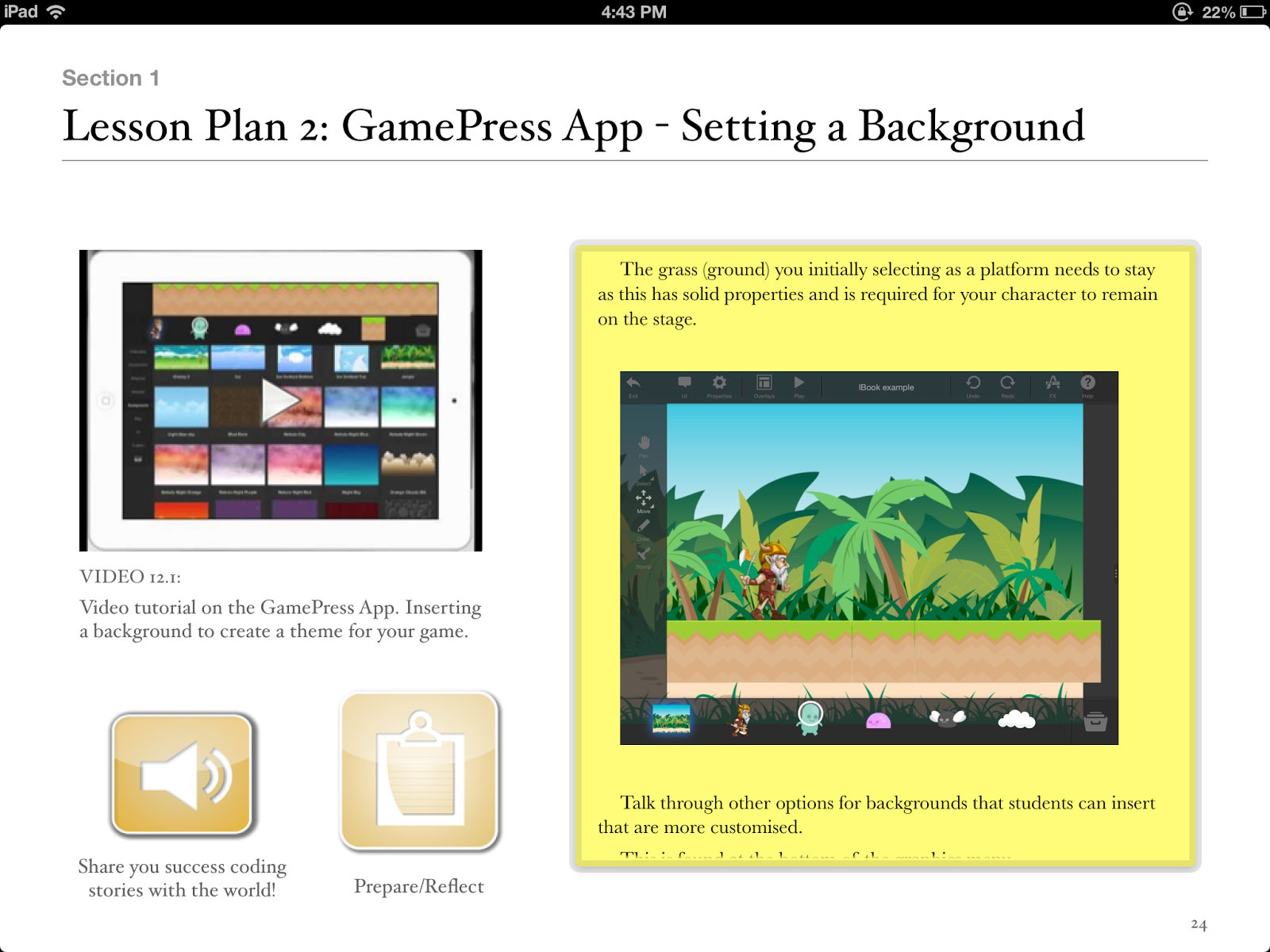
 3. GamePress
Teachers, you can make use of GamePress to teach students about game design, logic and even computer science and engineering! The no programming interface makes learning complex concepts fun and easy. Games have become more than just a way to pass time, they’re perfect for education and learning new things.

Paul is a:
2013 Finalist - International EdTech Digest Awards Recognition Program honoring tools, trendsetters and leaders in the education and technology sector. The distinguished awards program recognizes outstanding solutions―and the best and brightest minds―in education and technology.
Apple Distinguished Educator Class of 2013. Paul is a leader in the implementation of Augmented Reality in schools to improve learning outcomes, Professional Development of staff with integration of ICTs, and has expertise in the implementation of mobile devices into pedagogical frameworks.
Creator
The Tellagami Project (Presentation)
Teaching students to code on the iPad (iBook)
Augmented Reality in Education (iBook)
10 Amazing lessons for the iPad Classroom (iBook)
Formative Feedback for Learning and Science AR (Apps)
"Paul, you are a real Leader" - Dr Heidi Hayes Jacobs, author and internationally recognized education leader known for her work in curriculum mapping, curriculum integration and developing 21st century approaches to teaching and learning.
"Paul we designed iBooks Author to be a tool that teachers could use to create content that they develop for the classroom and can share with the world. It is great Paul that you have been using it that way to great success." - Philip Schiller - Apple’s Senior Vice President of Worldwide Marketing.
PUBLIC SPEAKING EXPERIENCE
Guest Speaker - Best Apps for Kids - State Library Queensland 2013
National Leading a Digital School Conference - 2013 (Melbourne)
Augmented Reality in Education
21st Century Skills v Technology
IWB Interactive Teaching and Learning Conference - Sydney 2012
The benefits of teaching game design and strategy.
Technology and Formative Assessment strategies.
With iPads being so popular in schools across the globe what are some iPad Apps that will get kids coding around the world.
1.Daisy the Dinosaur
Description
Learn the basics of computer programming with Daisy the Dinosaur! This free, fun app has an easy drag and drop interface that kids of all ages can use to animate Daisy to dance across the screen. Kids will intuitively grasp the basics of objects, sequencing, loops and events by solving this app's challenges. After playing Daisy, kids can choose to download a kit to program their own computer game.
2.Hopscotch
Description
Hopscotch works by dragging and dropping blocks of code. Build little routines and press play to see your code in action! As you get more advanced, you can add more objects and run your code using events like shaking and tilting the iPad or even shouting at the iPad! We were heavily inspired by MIT's Scratch.
Many of the best coders fell in love with programming as kids at the age of 8, 10 and 12 years old. With Hopscotch, kids can build and perfect their own creations while obtaining an understanding of the fundamentals of computer science.
Description
Teachers, you can make use of GamePress to teach students about game design, logic and even computer science and engineering! The no programming interface makes learning complex concepts fun and easy. Games have become more than just a way to pass time, they’re perfect for education and learning new things.
Paul is the author of Teaching students to code on the iPad .
2013 Finalist - International EdTech Digest Awards Recognition Program honoring tools, trendsetters and leaders in the education and technology sector. The distinguished awards program recognizes outstanding solutions―and the best and brightest minds―in education and technology.
Apple Distinguished Educator Class of 2013. Paul is a leader in the implementation of Augmented Reality in schools to improve learning outcomes, Professional Development of staff with integration of ICTs, and has expertise in the implementation of mobile devices into pedagogical frameworks.
Creator
The Tellagami Project (Presentation)
Teaching students to code on the iPad (iBook)
Augmented Reality in Education (iBook)
10 Amazing lessons for the iPad Classroom (iBook)
Formative Feedback for Learning and Science AR (Apps)
"Paul, you are a real Leader" - Dr Heidi Hayes Jacobs, author and internationally recognized education leader known for her work in curriculum mapping, curriculum integration and developing 21st century approaches to teaching and learning.
"Paul we designed iBooks Author to be a tool that teachers could use to create content that they develop for the classroom and can share with the world. It is great Paul that you have been using it that way to great success." - Philip Schiller - Apple’s Senior Vice President of Worldwide Marketing.
PUBLIC SPEAKING EXPERIENCE
Guest Speaker - Best Apps for Kids - State Library Queensland 2013
National Leading a Digital School Conference - 2013 (Melbourne)
Augmented Reality in Education
21st Century Skills v Technology
IWB Interactive Teaching and Learning Conference - Sydney 2012
The benefits of teaching game design and strategy.
Technology and Formative Assessment strategies.
Thursday, 26 September 2013
3 things students should be doing on iPads
My primary job is advising and coaching teachers to use technology in effective ways in classrooms. iPads as a technological tool in classrooms is a major part of this job. Researching effective Apps, encouraging teachers to look for connections between the curriculums and integration of these amazing devices are just 2 aspects of my job that are both challenging and incredible rewarding.
So, what are some things our students should be doing on iPads? Here are some thoughts.
1). Authoring and Publishing digital content.
Utilising Apps such as Book Creator, allows students to become authors and publishers. With a little research there is nothing stopping students publishing to the world! iBooks continues to be an under utilised App in schools.

2). Creating Multi-Modal Presentations.
Using an App like Explain Everything, students can now present and demonstrate knowledge in a variety of ways. Students who struggle with literacy can show teachers through videos and audio that there is a wealth of knowledge they have and want to share.

3). Learning to Code.
Using Apps like Hopscotch and GamePress, students can create and publish digital games and learn the language of Code at the same time. With a little structure, students can collaborate with others so that lessons are not teacher centred, allowing students to spread their wings and learn at an appropriate rate.

Paul
About Paul Hamilton, Author of this Blog:
2013 Finalist - International EdTech Digest Awards Recognition Program honoring tools, trendsetters and leaders in the education and technology sector. The distinguished awards program recognizes outstanding solutions―and the best and brightest minds―in education and technology.
Apple Distinguished Educator Class of 2013. Paul is a leader in the implementation of Augmented Reality in schools to improve learning outcomes, Professional Development of staff with integration of ICTs, and has expertise in the implementation of mobile devices into pedagogical frameworks.
Creator
The Tellagami Project (Presentation)
Augmented Reality in Education (iBook)
10 Amazing lessons for the iPad Classroom (iBook)
Formative Feedback for Learning and Science AR (Apps)
"Paul, you are a real Leader" - Dr Heidi Hayes Jacobs, author and internationally recognized education leader known for her work in curriculum mapping, curriculum integration and developing 21st century approaches to teaching and learning.
"Paul we designed iBooks Author to be a tool that teachers could use to create content that they develop for the classroom and can share with the world. It is great Paul that you have been using it that way to great success." - Philip Schiller - Apple’s Senior Vice President of Worldwide Marketing.
PUBLIC SPEAKING EXPERIENCE
Guest Speaker - Best Apps for Kids - State Library Queensland 2013
National Leading a Digital School Conference - 2013 (Melbourne)
Augmented Reality in Education
21st Century Skills v Technology
IWB Interactive Teaching and Learning Conference - Sydney 2012
The benefits of teaching game design and strategy.
Technology and Formative Assessment strategies.
So, what are some things our students should be doing on iPads? Here are some thoughts.
1). Authoring and Publishing digital content.
Utilising Apps such as Book Creator, allows students to become authors and publishers. With a little research there is nothing stopping students publishing to the world! iBooks continues to be an under utilised App in schools.

2). Creating Multi-Modal Presentations.
Using an App like Explain Everything, students can now present and demonstrate knowledge in a variety of ways. Students who struggle with literacy can show teachers through videos and audio that there is a wealth of knowledge they have and want to share.

3). Learning to Code.
Using Apps like Hopscotch and GamePress, students can create and publish digital games and learn the language of Code at the same time. With a little structure, students can collaborate with others so that lessons are not teacher centred, allowing students to spread their wings and learn at an appropriate rate.

Paul
About Paul Hamilton, Author of this Blog:
2013 Finalist - International EdTech Digest Awards Recognition Program honoring tools, trendsetters and leaders in the education and technology sector. The distinguished awards program recognizes outstanding solutions―and the best and brightest minds―in education and technology.
Apple Distinguished Educator Class of 2013. Paul is a leader in the implementation of Augmented Reality in schools to improve learning outcomes, Professional Development of staff with integration of ICTs, and has expertise in the implementation of mobile devices into pedagogical frameworks.
Creator
The Tellagami Project (Presentation)
Augmented Reality in Education (iBook)
10 Amazing lessons for the iPad Classroom (iBook)
Formative Feedback for Learning and Science AR (Apps)
"Paul, you are a real Leader" - Dr Heidi Hayes Jacobs, author and internationally recognized education leader known for her work in curriculum mapping, curriculum integration and developing 21st century approaches to teaching and learning.
"Paul we designed iBooks Author to be a tool that teachers could use to create content that they develop for the classroom and can share with the world. It is great Paul that you have been using it that way to great success." - Philip Schiller - Apple’s Senior Vice President of Worldwide Marketing.
PUBLIC SPEAKING EXPERIENCE
Guest Speaker - Best Apps for Kids - State Library Queensland 2013
National Leading a Digital School Conference - 2013 (Melbourne)
Augmented Reality in Education
21st Century Skills v Technology
IWB Interactive Teaching and Learning Conference - Sydney 2012
The benefits of teaching game design and strategy.
Technology and Formative Assessment strategies.
Monday, 5 August 2013
Tellagami Project building momentum
I have been overwhelmed with the response to the Tellagami Project. I thought it would be a wonderful platform for teachers and edtech leaders to share what they believe in and what they are doing in classrooms. The messages I'm getting at the moment are amazing and I hope I can share with the world.
Why Tellagami? I love the App. I use it with my students all the time and thought I would get adults having the same benefits as my students.
The Global aspect of this project is what is most pleasing. Powerful messages from across the world, all speaking from the heart and with passion.
I have started putting together all the Gami's and I think everyone will be surprised with how it turns out. Here is the opening credits teaser.
Still time to get your message/Gami in? Absolutely. Details of procedure can be at:
http://appsbypaulhamilton.blogspot.com.au/2013/08/collaborative-tellagami-project-looking.html
Monday, 29 July 2013
Hopscotch App Lesson Plan
Using the Hopscotch App to develop thinking processes
Students learn the language of code, developing a range of thinking skills.
Lesson Plan
Introduce learning intention:
To expose students to the language (vocabulary) of Code. To create a simple digital application (Game) for others to enjoy.
Special note for teachers:
For students to discover they can learn through experimentation and trial and error.
The Habit of risk taking is vital in learning new things and we can learn in a number of ways.
Create video tutorials online that allow student to view and learn at their own rate. This could be through tutorials for Hopscotch that you find online, tutorials that you create or your students create.
The Habit of risk taking is vital in learning new things and we can learn in a number of ways.
Create video tutorials online that allow student to view and learn at their own rate. This could be through tutorials for Hopscotch that you find online, tutorials that you create or your students create.
Teacher instruction:
Introduce Hopscotch App.
Demonstrate App and how you save your projects.
Discuss with students the functions of the iPad e.g tilt, shake........
Make clear with students we want to focus on learning new things and in different ways. The teacher doesn’t have all the knowledge.
Introduce the “3 before me” concept where student must ask 3 others before the teacher.
Teacher creates a basic tilt game where the character moves up, down, left and right by titling the iPad.
Demonstrate App and how you save your projects.
Discuss with students the functions of the iPad e.g tilt, shake........
Make clear with students we want to focus on learning new things and in different ways. The teacher doesn’t have all the knowledge.
Introduce the “3 before me” concept where student must ask 3 others before the teacher.
Teacher creates a basic tilt game where the character moves up, down, left and right by titling the iPad.
Student Steps:
1. Allow discovery time (approx 4 lessons). This promotes risk taking with no set project in minds to discover all the functions. Students can trial, relearn, make mistakes and discover that they are in control of their learning.
2. Plan the game through pictures and a storyboard.
3. Game development.
4. Students review initial plan. It is it achievable/realistic? Should I scale back? Should I expand my game?
5. Partner students with others. Partner offers feedback. What works? Doesn’t work from a players perspective?
6. Students create games and have a gaming expo where they invite other classes, teachers and parents to play games.
Reflection:
What did I like about my game?
What would I change next time?
What did the players think of my game?
Did I enjoy making the game? Where could I go to learn more about coding”
Excerpt From: Hamilton, Paul. “10 amazing lessons for the iPad Classroom.” v1.1. Paul Hamilton, 2013. iBooks.
This material may be protected by copyright.
Check out this book on the iBookstore: https://itunes.apple.com/au/book/10-amazing-lessons-for-ipad/id668251958?mt=11
Friday, 5 July 2013
iBook for the iPad classroom hits no1
Thanks to all the support. Proud to announce 10 amazing lessons for the iPad classroom has been top of the Computing and Internet category on the iBook Store (Australian Store) since its release.
Hopefully teachers are getting lots out of it and the students in their classrooms more engaged!!

Hopefully teachers are getting lots out of it and the students in their classrooms more engaged!!
Tuesday, 2 July 2013
10 amazing lessons for the iPad Classroom
10 amazing lessons for the iPad Classroom is now available on the iBook Store. Lessons and Apps include: CLICK HERE
Using the Topia App to explore Geography Concepts
Using the Trading Cards App to build knowledge
Using the Tellagami App to develop reading fluency
Using the Hopscotch App to develop thinking processes
Using Formative Feedback for Learning App to encourage feedback giving between students and teachers
Using Explain Everything to compare website data
Using Book Creator to Author and Publish content
Using Doodle Cast App to tell stories and develop communication skills
Using Comic Life App to reflect on past experiences and to teach a recount structure

Using the Topia App to explore Geography Concepts
Using the Trading Cards App to build knowledge
Using the Tellagami App to develop reading fluency
Using the Hopscotch App to develop thinking processes
Using Formative Feedback for Learning App to encourage feedback giving between students and teachers
Using Explain Everything to compare website data
Using Book Creator to Author and Publish content
Using Doodle Cast App to tell stories and develop communication skills
Using Comic Life App to reflect on past experiences and to teach a recount structure
Friday, 28 June 2013
10 amazing lessons for the iPad Classroom: iBook coming soon
Sneak Peek at my new iBook out July 4th, 2013 on the iTunes iBook Store. Will include detailed lesson plans and in depth video tutorials for the teachers.
“For the first time in history, we have a technological device that is so intuitive to young children, that the educational possibilities are endless. No longer is technology a hindrance to student learning. However, teachers are struggling to make connections between Apps, the Curriculum and 21st Century Skills”.
First 4 lessons outlined in the iBook:Lesson 1:
Use the Topia App to develop concepts related to Geography. Students make connections between fictitious worlds and our own. Big concepts explored include sustainability, global trends and interconnectedness.
Lesson 2:
Use the Tellagami App to develop reading fluency skills. Students developing the ability to give effective formative feedback will also be developed within this lesson.
Lesson 3:
Use the Hopscotch App to teach students to code. The language of code can be used in many different areas from web design to complex animations and game design.
Lesson 4
Use the Formative Feedback App to encourage effective feedback to be given between students. Students will use symbols to prompt effective discussion.


Lesson 2:
Use the Tellagami App to develop reading fluency skills. Students developing the ability to give effective formative feedback will also be developed within this lesson.
Lesson 3:
Use the Hopscotch App to teach students to code. The language of code can be used in many different areas from web design to complex animations and game design.
Lesson 4
Use the Formative Feedback App to encourage effective feedback to be given between students. Students will use symbols to prompt effective discussion.
Sunday, 9 June 2013
3 things that tell you your iPad program IS working
1. Your students are authoring and publishing content
Not playing educational games, not touching balloons that explode into number facts and not data processing huge amounts of content.
Instead - creating ebooks, multimedia presentations, podcasting, movie making and taking amazing photographs. Students are publishing for the local school community to view or publishing world wide.
2. Your students are integrating more than 1 App and suggesting App to the teachers
Students are jumping between the Camera App and Explain Everything to personalise projects and assignments. Students are embedding video and audio into Apps that results in rich media presentation.
Students are making connections between Apps they find and learning that is happening in the classroom.
3. Your teachers are talking Apps at lunchtime!
Teachers sharing WINS and great use of technology in the classroom. Teachers identifying and analysing Apps that are purposeful and hitting outcomes and the curriculum. Teachers are using a single App in a variety of different areas.
Not playing educational games, not touching balloons that explode into number facts and not data processing huge amounts of content.
Instead - creating ebooks, multimedia presentations, podcasting, movie making and taking amazing photographs. Students are publishing for the local school community to view or publishing world wide.
2. Your students are integrating more than 1 App and suggesting App to the teachers
Students are jumping between the Camera App and Explain Everything to personalise projects and assignments. Students are embedding video and audio into Apps that results in rich media presentation.
Students are making connections between Apps they find and learning that is happening in the classroom.
3. Your teachers are talking Apps at lunchtime!
Teachers sharing WINS and great use of technology in the classroom. Teachers identifying and analysing Apps that are purposeful and hitting outcomes and the curriculum. Teachers are using a single App in a variety of different areas.
Saturday, 8 June 2013
iPad Teacher Tutorial June Newsletter
What's the secret to an effective 1:1 program in schools? Devices? Infrastructure? User agreement? Whilst all of these areas play a role, the classroom TEACHER is the most important and significant ingredient in an effective 1:1 program. Let me be a little more specific. The teachers imagination and creativity, their ability to make connections with the device and applications, their knowledge of the curriculum and the 21st century students who sit in their class. See it is the teachers who see the hidden wonders/magic of an App like iMovie or a web2 tool like Todays Meet. This edition of the appsbypaulhamilton newsletter pays tribute to the creative and innovative teachers in our schools and the impact they are having on young minds across the globe.
Using iMovie in the classroom:
What better way to grab the attention of our students than with a movie trailer. Even better, get students creating narratives through iMovie. This tutorial looks at creating a Narrative using iMovie on an iPad.

Just recently I discovered the world of Podcasting and thought I would use it as a way of discovering great Apps that are out there. I plan to interview Teachers, App Developers and Parents but thought I would start by asking our target audience in this entire discussion: THE KIDS! As Dan Pink suggests we should talk with our students more about what they require/need at school. Here is the Talking Apps with Paul Hamilton first episode. In the first episode, I chat with my 8 year old daughter on her favourite Apps and how they could used at school. Email me if you would like to be on the next show.

Utilizing screen recording animations within an Augmented Reality environment:
Augmented Reality is starting to filter into classrooms across the globe. The Horizon Report is a yearly publication that highlights, analyzes and predicts the ways in which technological advances will change teaching, learning and creative inquiry. The 2013 report describes how and why augmented reality will play an important role in teaching and learning over the next two to three years. Luckily for educators Augmented Reality is available. Using 2 Apps (Aurasma and Explain Everything) you can create your own Augmented Reality experience for your students.

Interesting Observation:I often get frustrated with those who continue to see the iPad as a solely consuming device. We want our students creating and the iPad delivers creativity and content creation in spades. Our students are using technology differently than we did (and more of it). Anyone who has kids will notice this on a regular basis. As Sir Ken Robinson observes:
“When my son, James, was doing homework for school, he would have five or six windows open on his computer, Instant Messenger was flashing continuously, his cell phone was constantly ringing, and he was downloading music and watching the TV over his shoulder. I don’t know if he was doing any homework, but he was running an empire as far as I could see, so I didn’t really care.”
Students viewing Movies and posing questions:
I have no doubt that students viewing videos adds worth to the educational experience. However, how do we optimise the students experience so that we go further once the video is finished. Traditional note taking is limited. In my experience it is the posing of questions that we want our students to do so that they build a deeper understanding of the concepts. Also, allowing students to find and add content to the lesson needs to be encouraged. Using Today's Meet allows for this. Can students watch media and pose questions at the same time? Absolutely.

Using Video to give Formative Feedback:
Giving effective feedback to students has one of the highest impacts on student learning. As Professor John Hattie states: “Feedback is one of the most powerful influences on learning and achievement” and “This evidence shows that although feedback is among the major influences, the type of feedback and the way it is given can be differentially effective.”
In my experiences video feedback is one of these highly effective methods. Using video as a form of feedback allows: student-student feedback, teacher-student feedback and self feedback.

Upcoming Professional Development for School Leaders:
Looking forward to presenting at the Leading a Digital School conference at Crown Casino in Melbourne next term. My 2 sessions will be on Augmented Reality in Education and 21st Century Skills V Technology. Those who have a leadership position in schools should definitely attend!
For registration details visit:
The IWBNet website HERE
Free teacher tutorials.
Don't forget to check out my free teacher tutorial channel on youtube. It is approaching 40000 views and has plenty of useful and practical tutorials for teachers.

About Paul:
Apps and iBooks by Paul Hamilton


Thursday, 16 May 2013
Augmented Reality in Education featured on iBookstore
Proud to announce Augmented Reality in Education featured on the iBookstore in the Made with iBooks Author category and the New Category.
Download below.
https://itunes.apple.com/au/book/augmented-reality-in-education/id641019829?mt=11

Download below.
https://itunes.apple.com/au/book/augmented-reality-in-education/id641019829?mt=11
Tuesday, 14 May 2013
Thursday, 9 May 2013
Augmented Reality in Education iBook
Paul Hamilton has just published a free multi touch iBook on the use of Augmented Reality in Education. Outlining statistics, influences on the mind and practical tutorials for creating an AR experiences for students, this book is proving to be a valuable edition to your iBook library. And the best thing it is a FREE iBook.

Friday, 3 May 2013
Learning and the iPad
When looking at using iPads and Apps in education let's not forget about proven teaching methods and connect them to the technology we use in the classroom.

Subscribe to:
Posts (Atom)