How do we want students using iPads during the Christmas holidays?
How about creating, collaborating and communicating with Project based activities that will both engage, foster and develop 21st century skills whilst having an awesome time!
1. Create on comic/iBook on their favourite holiday moments
Incorporating the camera and Apps like Comic Life and Book Creator, our kids become authors at the same time. It also encourages kids to work together and involve the whole family.
Tutorials Here:
http://www.youtube.com/watch?v=znrlTHDzr6s
http://www.youtube.com/watch?v=ic5a2-qavFA
2. Time Lapse Photography iMovie
My girls are currently doing this as I write this Blog. The set up their iPod and use the App iMotion HD to take photos at 20 second intervals of the kids putting up the Christmas tree. They then drop into iMovie and add text and music to create an amazing time Lapse movie. Very cool.
Tutorials Here:
http://www.youtube.com/watch?v=eNU6JYW0tI0
http://www.youtube.com/watch?v=SGnIMp43fdU
3. Create a digital Video Game
Using iPad Apps like Hopscotch and GamePress students can immerse themselves into the world of video games. But there is a difference! The kids can create their own, test, evaluate, work together and learn how to code at the same time. A really worthwhile activity!
Tutorials Here:
http://www.youtube.com/watch?v=_8-y0nIhmbY
http://www.youtube.com/watch?v=9SuFr_MUPUU
Showing posts with label hopscotch. Show all posts
Showing posts with label hopscotch. Show all posts
Friday, 29 November 2013

Friday, 8 November 2013
Hour of Code just the beginning
With the momentum building in the lead up to Computer Science Week in the States and Hour of Code, I can't help thinking this is just the beginning. What makes me think this? For the past 12 months I have been teaching my students to Code and I have seen the benefits first hand. Rich, deep level thinking, the collaboration, and the ability to see Code come alive are just some of the reasons all students should learn to code in schools.
On the 9th December (and the lead up week) there is a massive push to get kids coding. I think the success of this week and what follows is dependent on an element we have not placed a higher enough priority on - the teachers. See without passionate teachers who believe in coding we will not produce passionate students. The teacher is not the only ingredient, but certainly an important one.
Paul is the Author of the upcoming iBook "Teaching students to code on the iPad".

On the 9th December (and the lead up week) there is a massive push to get kids coding. I think the success of this week and what follows is dependent on an element we have not placed a higher enough priority on - the teachers. See without passionate teachers who believe in coding we will not produce passionate students. The teacher is not the only ingredient, but certainly an important one.
Paul is the Author of the upcoming iBook "Teaching students to code on the iPad".
Sunday, 27 October 2013
3 awesome iPad Apps to get kids coding
The language of Code is a universal language. We use technology almost every minute of everyday and yet we remain ignorant of how technology actually works. What drives this technology? Code!
With iPads being so popular in schools across the globe what are some iPad Apps that will get kids coding around the world.
1.Daisy the Dinosaur

2.Hopscotch
Hopscotch works by dragging and dropping blocks of code. Build little routines and press play to see your code in action! As you get more advanced, you can add more objects and run your code using events like shaking and tilting the iPad or even shouting at the iPad! We were heavily inspired by MIT's Scratch.
Many of the best coders fell in love with programming as kids at the age of 8, 10 and 12 years old. With Hopscotch, kids can build and perfect their own creations while obtaining an understanding of the fundamentals of computer science.
 3. GamePress
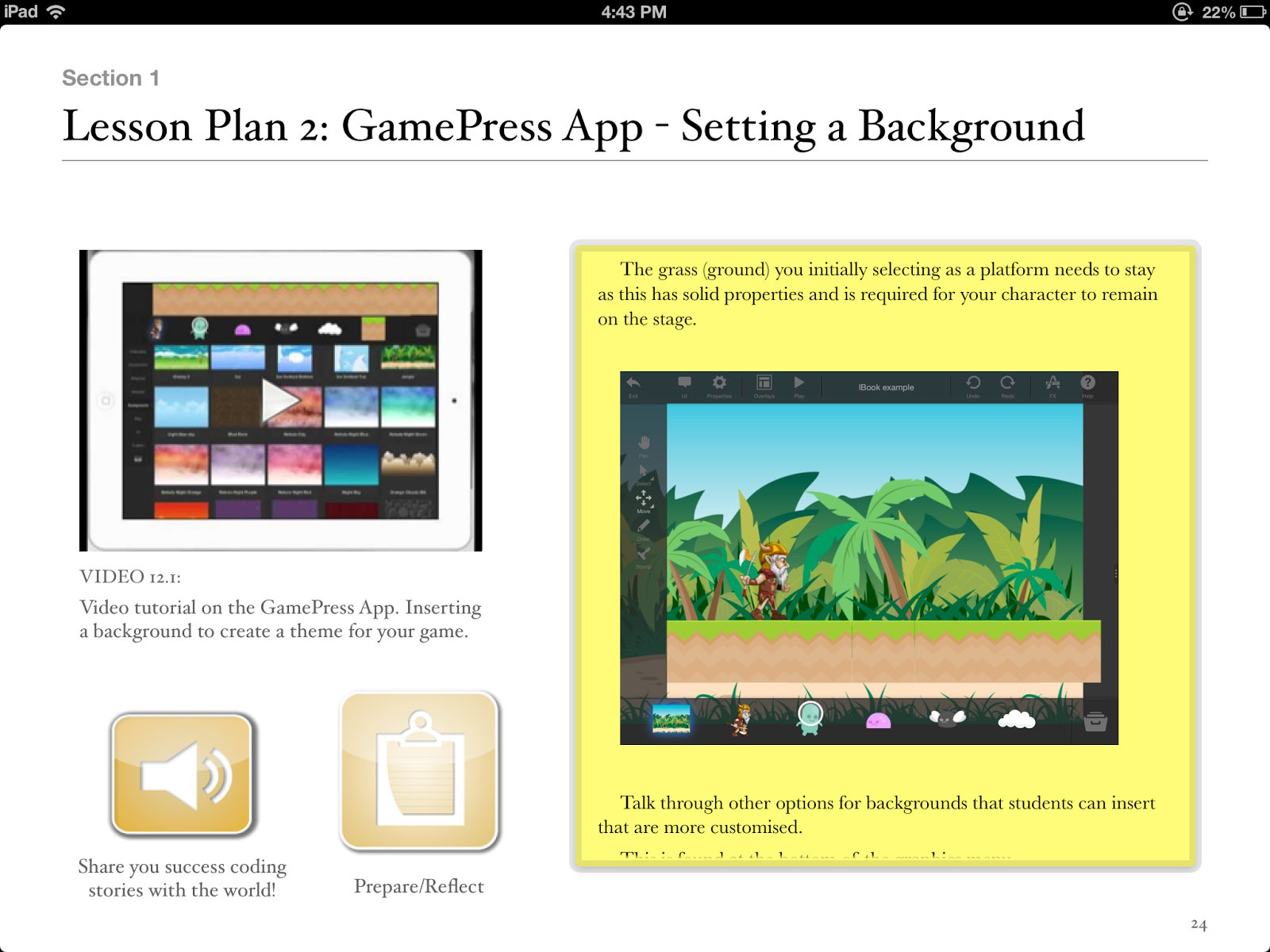
Teachers, you can make use of GamePress to teach students about game design, logic and even computer science and engineering! The no programming interface makes learning complex concepts fun and easy. Games have become more than just a way to pass time, they’re perfect for education and learning new things.

Paul is a:
2013 Finalist - International EdTech Digest Awards Recognition Program honoring tools, trendsetters and leaders in the education and technology sector. The distinguished awards program recognizes outstanding solutions―and the best and brightest minds―in education and technology.
Apple Distinguished Educator Class of 2013. Paul is a leader in the implementation of Augmented Reality in schools to improve learning outcomes, Professional Development of staff with integration of ICTs, and has expertise in the implementation of mobile devices into pedagogical frameworks.
Creator
The Tellagami Project (Presentation)
Teaching students to code on the iPad (iBook)
Augmented Reality in Education (iBook)
10 Amazing lessons for the iPad Classroom (iBook)
Formative Feedback for Learning and Science AR (Apps)
"Paul, you are a real Leader" - Dr Heidi Hayes Jacobs, author and internationally recognized education leader known for her work in curriculum mapping, curriculum integration and developing 21st century approaches to teaching and learning.
"Paul we designed iBooks Author to be a tool that teachers could use to create content that they develop for the classroom and can share with the world. It is great Paul that you have been using it that way to great success." - Philip Schiller - Apple’s Senior Vice President of Worldwide Marketing.
PUBLIC SPEAKING EXPERIENCE
Guest Speaker - Best Apps for Kids - State Library Queensland 2013
National Leading a Digital School Conference - 2013 (Melbourne)
Augmented Reality in Education
21st Century Skills v Technology
IWB Interactive Teaching and Learning Conference - Sydney 2012
The benefits of teaching game design and strategy.
Technology and Formative Assessment strategies.
With iPads being so popular in schools across the globe what are some iPad Apps that will get kids coding around the world.
1.Daisy the Dinosaur
Description
Learn the basics of computer programming with Daisy the Dinosaur! This free, fun app has an easy drag and drop interface that kids of all ages can use to animate Daisy to dance across the screen. Kids will intuitively grasp the basics of objects, sequencing, loops and events by solving this app's challenges. After playing Daisy, kids can choose to download a kit to program their own computer game.
2.Hopscotch
Description
Hopscotch works by dragging and dropping blocks of code. Build little routines and press play to see your code in action! As you get more advanced, you can add more objects and run your code using events like shaking and tilting the iPad or even shouting at the iPad! We were heavily inspired by MIT's Scratch.
Many of the best coders fell in love with programming as kids at the age of 8, 10 and 12 years old. With Hopscotch, kids can build and perfect their own creations while obtaining an understanding of the fundamentals of computer science.
Description
Teachers, you can make use of GamePress to teach students about game design, logic and even computer science and engineering! The no programming interface makes learning complex concepts fun and easy. Games have become more than just a way to pass time, they’re perfect for education and learning new things.
Paul is the author of Teaching students to code on the iPad .
2013 Finalist - International EdTech Digest Awards Recognition Program honoring tools, trendsetters and leaders in the education and technology sector. The distinguished awards program recognizes outstanding solutions―and the best and brightest minds―in education and technology.
Apple Distinguished Educator Class of 2013. Paul is a leader in the implementation of Augmented Reality in schools to improve learning outcomes, Professional Development of staff with integration of ICTs, and has expertise in the implementation of mobile devices into pedagogical frameworks.
Creator
The Tellagami Project (Presentation)
Teaching students to code on the iPad (iBook)
Augmented Reality in Education (iBook)
10 Amazing lessons for the iPad Classroom (iBook)
Formative Feedback for Learning and Science AR (Apps)
"Paul, you are a real Leader" - Dr Heidi Hayes Jacobs, author and internationally recognized education leader known for her work in curriculum mapping, curriculum integration and developing 21st century approaches to teaching and learning.
"Paul we designed iBooks Author to be a tool that teachers could use to create content that they develop for the classroom and can share with the world. It is great Paul that you have been using it that way to great success." - Philip Schiller - Apple’s Senior Vice President of Worldwide Marketing.
PUBLIC SPEAKING EXPERIENCE
Guest Speaker - Best Apps for Kids - State Library Queensland 2013
National Leading a Digital School Conference - 2013 (Melbourne)
Augmented Reality in Education
21st Century Skills v Technology
IWB Interactive Teaching and Learning Conference - Sydney 2012
The benefits of teaching game design and strategy.
Technology and Formative Assessment strategies.
Tuesday, 22 October 2013
Teaching students to code on the iPad iBook Released
The language of Code is a universal language. We use technology almost every minute of everyday and yet we remain ignorant of how technology actually works. What drives this technology? Code!
This ebook aims to give the power back to the teachers and students. Code is easy and with some step by step instructions we can introduce the language of code to the students who sit in our classrooms.
Structured lesson plans combined with simple and easy to follow video tutorials, will allow teachers to introduce coding lessons in a fun and non threatening manner.
With a focus on collaborative learning, “Teaching Students to Code on the iPad” works! It drifts away from a teacher focussed model, allowing students to develop Coding skills at their own rate and allows teachers to facilitate the learning to a greater extent.
iBook can be purchased here:
https://itunes.apple.com/au/book/teaching-students-to-code/id729919770?mt=11&ls=1
Hour of Code supported with this iBook.
This ebook aims to give the power back to the teachers and students. Code is easy and with some step by step instructions we can introduce the language of code to the students who sit in our classrooms.
Structured lesson plans combined with simple and easy to follow video tutorials, will allow teachers to introduce coding lessons in a fun and non threatening manner.
With a focus on collaborative learning, “Teaching Students to Code on the iPad” works! It drifts away from a teacher focussed model, allowing students to develop Coding skills at their own rate and allows teachers to facilitate the learning to a greater extent.
iBook can be purchased here:
https://itunes.apple.com/au/book/teaching-students-to-code/id729919770?mt=11&ls=1
Hour of Code supported with this iBook.
Thursday, 26 September 2013
3 things students should be doing on iPads
My primary job is advising and coaching teachers to use technology in effective ways in classrooms. iPads as a technological tool in classrooms is a major part of this job. Researching effective Apps, encouraging teachers to look for connections between the curriculums and integration of these amazing devices are just 2 aspects of my job that are both challenging and incredible rewarding.
So, what are some things our students should be doing on iPads? Here are some thoughts.
1). Authoring and Publishing digital content.
Utilising Apps such as Book Creator, allows students to become authors and publishers. With a little research there is nothing stopping students publishing to the world! iBooks continues to be an under utilised App in schools.

2). Creating Multi-Modal Presentations.
Using an App like Explain Everything, students can now present and demonstrate knowledge in a variety of ways. Students who struggle with literacy can show teachers through videos and audio that there is a wealth of knowledge they have and want to share.

3). Learning to Code.
Using Apps like Hopscotch and GamePress, students can create and publish digital games and learn the language of Code at the same time. With a little structure, students can collaborate with others so that lessons are not teacher centred, allowing students to spread their wings and learn at an appropriate rate.

Paul
About Paul Hamilton, Author of this Blog:
2013 Finalist - International EdTech Digest Awards Recognition Program honoring tools, trendsetters and leaders in the education and technology sector. The distinguished awards program recognizes outstanding solutions―and the best and brightest minds―in education and technology.
Apple Distinguished Educator Class of 2013. Paul is a leader in the implementation of Augmented Reality in schools to improve learning outcomes, Professional Development of staff with integration of ICTs, and has expertise in the implementation of mobile devices into pedagogical frameworks.
Creator
The Tellagami Project (Presentation)
Augmented Reality in Education (iBook)
10 Amazing lessons for the iPad Classroom (iBook)
Formative Feedback for Learning and Science AR (Apps)
"Paul, you are a real Leader" - Dr Heidi Hayes Jacobs, author and internationally recognized education leader known for her work in curriculum mapping, curriculum integration and developing 21st century approaches to teaching and learning.
"Paul we designed iBooks Author to be a tool that teachers could use to create content that they develop for the classroom and can share with the world. It is great Paul that you have been using it that way to great success." - Philip Schiller - Apple’s Senior Vice President of Worldwide Marketing.
PUBLIC SPEAKING EXPERIENCE
Guest Speaker - Best Apps for Kids - State Library Queensland 2013
National Leading a Digital School Conference - 2013 (Melbourne)
Augmented Reality in Education
21st Century Skills v Technology
IWB Interactive Teaching and Learning Conference - Sydney 2012
The benefits of teaching game design and strategy.
Technology and Formative Assessment strategies.
So, what are some things our students should be doing on iPads? Here are some thoughts.
1). Authoring and Publishing digital content.
Utilising Apps such as Book Creator, allows students to become authors and publishers. With a little research there is nothing stopping students publishing to the world! iBooks continues to be an under utilised App in schools.

2). Creating Multi-Modal Presentations.
Using an App like Explain Everything, students can now present and demonstrate knowledge in a variety of ways. Students who struggle with literacy can show teachers through videos and audio that there is a wealth of knowledge they have and want to share.

3). Learning to Code.
Using Apps like Hopscotch and GamePress, students can create and publish digital games and learn the language of Code at the same time. With a little structure, students can collaborate with others so that lessons are not teacher centred, allowing students to spread their wings and learn at an appropriate rate.

Paul
About Paul Hamilton, Author of this Blog:
2013 Finalist - International EdTech Digest Awards Recognition Program honoring tools, trendsetters and leaders in the education and technology sector. The distinguished awards program recognizes outstanding solutions―and the best and brightest minds―in education and technology.
Apple Distinguished Educator Class of 2013. Paul is a leader in the implementation of Augmented Reality in schools to improve learning outcomes, Professional Development of staff with integration of ICTs, and has expertise in the implementation of mobile devices into pedagogical frameworks.
Creator
The Tellagami Project (Presentation)
Augmented Reality in Education (iBook)
10 Amazing lessons for the iPad Classroom (iBook)
Formative Feedback for Learning and Science AR (Apps)
"Paul, you are a real Leader" - Dr Heidi Hayes Jacobs, author and internationally recognized education leader known for her work in curriculum mapping, curriculum integration and developing 21st century approaches to teaching and learning.
"Paul we designed iBooks Author to be a tool that teachers could use to create content that they develop for the classroom and can share with the world. It is great Paul that you have been using it that way to great success." - Philip Schiller - Apple’s Senior Vice President of Worldwide Marketing.
PUBLIC SPEAKING EXPERIENCE
Guest Speaker - Best Apps for Kids - State Library Queensland 2013
National Leading a Digital School Conference - 2013 (Melbourne)
Augmented Reality in Education
21st Century Skills v Technology
IWB Interactive Teaching and Learning Conference - Sydney 2012
The benefits of teaching game design and strategy.
Technology and Formative Assessment strategies.
Monday, 9 September 2013
Augmented Reality and Coding
In my latest Augmented Reality experiment I have combined two of my passions! Teaching kids to Code and Augmented Reality. I have been introducing my Year 5 students to the language of Code this term and I have been wanting to cater for all my learners. Especially those who need extra consolidation.
Using the Hopscotch App, my students have been creating their own digital games. I thought I would use Aurasma to help consolidate these lessons. Here is the result.
Using the Hopscotch App, my students have been creating their own digital games. I thought I would use Aurasma to help consolidate these lessons. Here is the result.
I continue to look for Augmented Reality opportunities in my class to consolidate, differentiate and enhance learning with my students.
AR Rocks!
Paul
Friday, 2 August 2013
Collaborative Tellagami Project - Looking for Edtech Gurus
Hi everyone
Looking for EDtech Gurus to be part of a project that pulls together some of the most inspirational messages for the Edtech community. You have an opportunity to inspire others in what will be a sought after and influential short movie. What I require:
1) Short 30 sec Gami using the Tellagami App or website:
2) Must follow the below format
3) Let you passion come though in your short speech
4) Email movie file (from camera roll) to appsbypaulhamilton@gmail.com
5) All movies will be put together by Paul into a short film (presentation)
6) please change the avatar as much as possible to avoid duplicates
Template for narration is simple:
My name is............(insert name) and I am............(what you do). I believe..........(insert statement that defines you and how you believe technology plays a part in education).
So what do you need:
Tellagami App
Create a short Gami using your own voice (it's really easy!!!)
please change the avatar as much as possible to avoid duplicates
Make sure you save to camera roll first and then email me straight from camera roll.
Quick tutorial here on how to make a GAMI
Link to App HERE
Link to website HERE
Example structure here
Looking for EDtech Gurus to be part of a project that pulls together some of the most inspirational messages for the Edtech community. You have an opportunity to inspire others in what will be a sought after and influential short movie. What I require:
1) Short 30 sec Gami using the Tellagami App or website:
2) Must follow the below format
3) Let you passion come though in your short speech
4) Email movie file (from camera roll) to appsbypaulhamilton@gmail.com
5) All movies will be put together by Paul into a short film (presentation)
6) please change the avatar as much as possible to avoid duplicates
Template for narration is simple:
My name is............(insert name) and I am............(what you do). I believe..........(insert statement that defines you and how you believe technology plays a part in education).
So what do you need:
Tellagami App
Create a short Gami using your own voice (it's really easy!!!)
please change the avatar as much as possible to avoid duplicates
Make sure you save to camera roll first and then email me straight from camera roll.
Quick tutorial here on how to make a GAMI
Link to App HERE
Link to website HERE
Example structure here
Monday, 29 July 2013
Hopscotch App Lesson Plan
Using the Hopscotch App to develop thinking processes
Students learn the language of code, developing a range of thinking skills.
Lesson Plan
Introduce learning intention:
To expose students to the language (vocabulary) of Code. To create a simple digital application (Game) for others to enjoy.
Special note for teachers:
For students to discover they can learn through experimentation and trial and error.
The Habit of risk taking is vital in learning new things and we can learn in a number of ways.
Create video tutorials online that allow student to view and learn at their own rate. This could be through tutorials for Hopscotch that you find online, tutorials that you create or your students create.
The Habit of risk taking is vital in learning new things and we can learn in a number of ways.
Create video tutorials online that allow student to view and learn at their own rate. This could be through tutorials for Hopscotch that you find online, tutorials that you create or your students create.
Teacher instruction:
Introduce Hopscotch App.
Demonstrate App and how you save your projects.
Discuss with students the functions of the iPad e.g tilt, shake........
Make clear with students we want to focus on learning new things and in different ways. The teacher doesn’t have all the knowledge.
Introduce the “3 before me” concept where student must ask 3 others before the teacher.
Teacher creates a basic tilt game where the character moves up, down, left and right by titling the iPad.
Demonstrate App and how you save your projects.
Discuss with students the functions of the iPad e.g tilt, shake........
Make clear with students we want to focus on learning new things and in different ways. The teacher doesn’t have all the knowledge.
Introduce the “3 before me” concept where student must ask 3 others before the teacher.
Teacher creates a basic tilt game where the character moves up, down, left and right by titling the iPad.
Student Steps:
1. Allow discovery time (approx 4 lessons). This promotes risk taking with no set project in minds to discover all the functions. Students can trial, relearn, make mistakes and discover that they are in control of their learning.
2. Plan the game through pictures and a storyboard.
3. Game development.
4. Students review initial plan. It is it achievable/realistic? Should I scale back? Should I expand my game?
5. Partner students with others. Partner offers feedback. What works? Doesn’t work from a players perspective?
6. Students create games and have a gaming expo where they invite other classes, teachers and parents to play games.
Reflection:
What did I like about my game?
What would I change next time?
What did the players think of my game?
Did I enjoy making the game? Where could I go to learn more about coding”
Excerpt From: Hamilton, Paul. “10 amazing lessons for the iPad Classroom.” v1.1. Paul Hamilton, 2013. iBooks.
This material may be protected by copyright.
Check out this book on the iBookstore: https://itunes.apple.com/au/book/10-amazing-lessons-for-ipad/id668251958?mt=11
Subscribe to:
Posts (Atom)